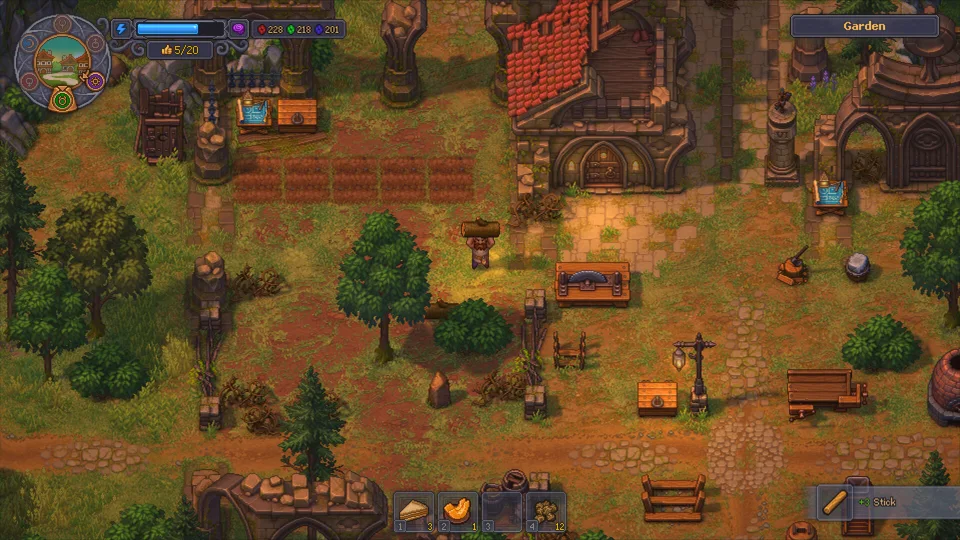

Prepare the stand and supplies
- Learn Garden Improvement I, then unlock Zombie Gardening for vegetable beds: the reference lists 60 green and 20 blue points. Vineyard work has a separate technology.
- Build the Gardener Stand: 4 Wooden Planks, 2 Bronze Details and 6 Bronze Nails.
- Have a zombie with a shovel, an available bed and open storage in the garden.
Check the blueprint and worker’s Farming mastery against your crop’s requirements. If you need to improve its equipment, use the mastery check.
Use wheat for the first cycle
- Equip and assign. Inspect the zombie, give it a shovel and put it at the Gardener Stand.
- Add a crop instruction. At the garden build desk, choose the wheat tablet and place it in the designated spot beside the relevant row. The reference shows a tablet serving a row of up to five beds; it is not the stand itself.
- Make seeds accessible. Put wheat seeds in an open chest in the garden. Allow 4 seeds per bed to be planted. Garden Storage sacks hold crops, not the seed supply the worker needs.
- Leave harvest space. Keep room in open garden chests. The gardener handles its own planting and harvest transport here; a crafting Supplier Station is not the missing step.
The wheat tablet and Gardener Stand references describe these jobs. Compare the crop and placement shown by your own build desk if the interface differs.
Watch planting, growth and storage separately
Success check: seeds leave the chest, the requested crop appears in the bed, and after it ripens the worker puts the harvest in storage. Keep enough seeds available and watch a subsequent planting order. Waiting for crop growth is different from a worker failing to take an order.
Editorial suggestion: record the crop, seed count and worker equipment before expanding. No exact yield or permanent self-sustaining seed supply is promised here.
Match the symptom to the next check
The gardener returns to its stand
Inspect its equipment first: removing the shovel stops garden work. Re-equip it, then check the crop tablet and accessible seeds.
An empty bed is never planted
Check that its row has the intended tablet and that enough matching seeds are in an open garden chest. Seeds in your backpack or the crop sacks are not the same supply. Follow the first planting order before building more stands.
The crop is planted but nothing is harvested
Wait until it is ripe. Then inspect Farming mastery and free storage space. If there is a “no room” sign, make space and watch whether storage resumes.
I cannot plant or fertilize the bed manually
A bed whose order has already been taken is reserved for the gardener. Let that order finish or work on an unassigned bed. This guide does not assume removing a tablet instantly cancels a job already taken.
Leave free space before moving crops into a nearly full chest. Official support ↗ currently lists an item-loss issue with partial transfers into full chests on Switch, Switch 2 and PS4; check that page for patch status.
After fixing the missing condition, return to the planting-to-storage check. For a normal bench that stops instead, use the crafting diagnostic.
Community walkthrough
Watch the setup.
How to Use the Garden Stand in Graveyard Keeper 2
By JA Guides Gaming
See the gardener setup alongside the written stand, shovel and crop-tablet checks.
Open on YouTube ↗Pressing play loads YouTube’s player. If playback is unavailable, use the original link.Sources & version
Community-described game mechanics; archived extracted build 4599483364566526977, current patch not tested
Sources checked . Content updated .
View 4 linked references
These source checks mean the linked material was read, not that this site tested the game.
- Community wiki: Zombie Gardening technology ↗community
Garden Improvement I prerequisite; archived extracted build 4599483364566526977 · Checked .
- Community wiki: Gardener Stand ↗community
Archived reference; extracted build 4599483364566526977, no longer updated · Checked .
- Community wiki: Wheat crop tablet ↗community
Archived reference; extracted build 4599483364566526977, no longer updated · Checked .
- tinyBuild support: known issues ↗official
Full-chest transfer issue listed for Switch / Switch 2 / PS4; status may change · Checked .