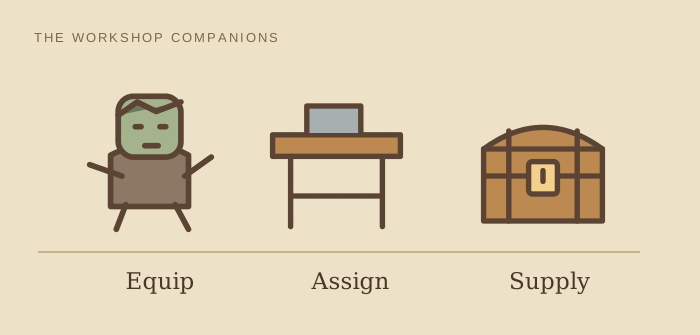

Make one item, then keep the queue moving
These steps combine the supplied gameplay material with linked community references. Exact controls and patch behavior have not been tested by this site.
Before starting: have a zombie, a normal crafting workstation, its required tool, ingredients and room for output. Gardeners and distant log transport use different stations; use the specialist guides below.
- Inspect the worker. Open its Character / equipment view and give it the job’s tool. Compare its own mastery with the recipe requirement, rather than the Keeper’s stat.
- Choose a small queue. As an editorial test, queue two units of a familiar recipe for which you have all ingredients. Carry the worker to the bench and select Put Zombie.
- Arrange local supply. Either supply and collect items manually, or unlock Zombie Assistant and assign a second worker to a Supplier Station. Keep inputs in open chests in the same room, rather than your backpack.
- Watch the handoff. The supplier clears products and replenishes inputs. Leave free storage space so completed output can be removed.
Success check: the first item finishes, reaches storage, and the next queued item starts without you feeding the bench again. With manual supply, moving items yourself is expected; automatic handoff needs the supplier.
Supplier Station reference: Zombie Assistant costs 35 red and 5 green points; the station uses 4 Wooden Planks and 4 Bronze Nails. Check your technology screen and blueprint before spending.
The zombie is idle: check what is missing
It never starts the first item
Open the bench: is a recipe queued, is the worker assigned, and are all ingredients present? Then inspect the worker’s tool and mastery. Follow the equipment check if its stat is below the recipe requirement. Repeat the small-queue test after changing one condition.
It makes one item and stops
Look for finished output still at the bench. Clear it and refill inputs once. If that restarts work, check the supplier’s assignment, open storage in this room and free output space; adding more production workers will not repair that handoff.
The supplier cannot find materials
Move the required input from your backpack or another area to an open chest in the workstation’s room. Confirm the supplier is assigned there. Watch whether it collects that input and brings it to the bench.
The job is gardening or remote logging
A gardener belongs at a Gardener Stand with crop tablets. Remote logs need a porter route. Use the specialist guide for that job below; the ordinary crafting supplier does not replace either setup.
If the checks pass but work still fails, record your platform, game version, recipe and a screenshot of equipment, queue and storage. Compare behavior with the references, then use the official bug-report forum ↗. This is a next diagnostic step, not a claim that every idle worker is a game bug.
Need another worker? Prepare a suitable body
- Unlock Reanimation and build a Resurrection Table.
- Use a corpse with all six organs and no Surgeon’s Error.
- Keep the collar in your backpack and Reanimation Liquid in open storage in the same room.
| Collar | Maximum red skulls |
|---|---|
| Bronze | 5 |
| Golden | 10 |
| Steel | 99 |
Post-launch patches also made zombies themselves a technology source: workers now earn red tech points for winning fights, and a fix restored red points at the stone and marble quarries. Check the official patch archive ↗ for scope.
Prepare, charge, collect
- Place the body on the table and select a collar suitable for its red-skull count.
- Choose Prepare; this consumes the collar and liquid.
- Activate the charged Resurrection device. Sources describe recharge at the end of Lust day, for Envy day.
- Collect the worker and return to the first-job test.
Success check: the body becomes a collectable worker. Check the room’s capacity display before preparing a batch. The sources support multiple prepared tables per charging cycle; do not plan around a supposed limit of one zombie per day. No disputed capacity formula is used here.
For increasing talent capacity later, use the red-skull and collar checks.
Patches after launch fixed workers that failed to resurrect despite meeting the requirements, added a zombie-limit hint at the Resurrection Table on PlayStation, and made the Panic debuff trigger correctly when you are over the zombie cap. If your game predates these fixes, update before troubleshooting further.
Choose the next job
For a powered iron line, continue to factory automation.
Production and combat need different plans
This worker guide does not establish a combat formation, weapon ranking or optimal army size. The supplied combat remarks do not provide a complete, verified route. For resurrection milestones, see the selected Steam achievement conditions.
Community walkthrough
Watch the setup.
How to use Zombies in Graveyard Keeper 2
By MCGames
A visual companion for inspecting and equipping workers. Use the written guide for source and version limits.
Open on YouTube ↗Pressing play loads YouTube’s player. If playback is unavailable, use the original link.Sources & version
Resurrection and workstation assignment; September 2026 sources, exact patch unspecified
Sources checked . Content updated .
View 5 linked references
These source checks mean the linked material was read, not that this site tested the game.
- Power Up Gaming: zombie guide ↗secondary
Resurrection and worker assignment; excludes disputed capacity claims · Checked .
- Community wiki: zombie mechanics ↗community
Resurrection and workbench rules; archived site cites extracted build 4599483364566526977 · Checked .
- Community wiki: Supplier Station ↗community
Archived reference; extracted build 4599483364566526977, no longer updated · Checked .
- Official Steam bug-report forum ↗official
Game bug reports; external destination, not a contact inbox for this fan site · Checked .
- tinyBuild support: patch notes archive ↗official
Running archive across versions; individual fixes are not version-stamped · Checked .